The screenshots were taken on DJI Matrice 400 with the DJI RC Plus 2 remote controller in the Dual Gimbal configuration.
8.1 Camera View
In the DJI Pilot 2 app, open the camera view. The screen shows:
- the module status window (top left, see chapter 3.3);
- the shutter button and the playback button (right);
- the camera settings button (right, slider icon);
- the PSDK icon - opens the Payload Settings panel (left and in the right menu column).
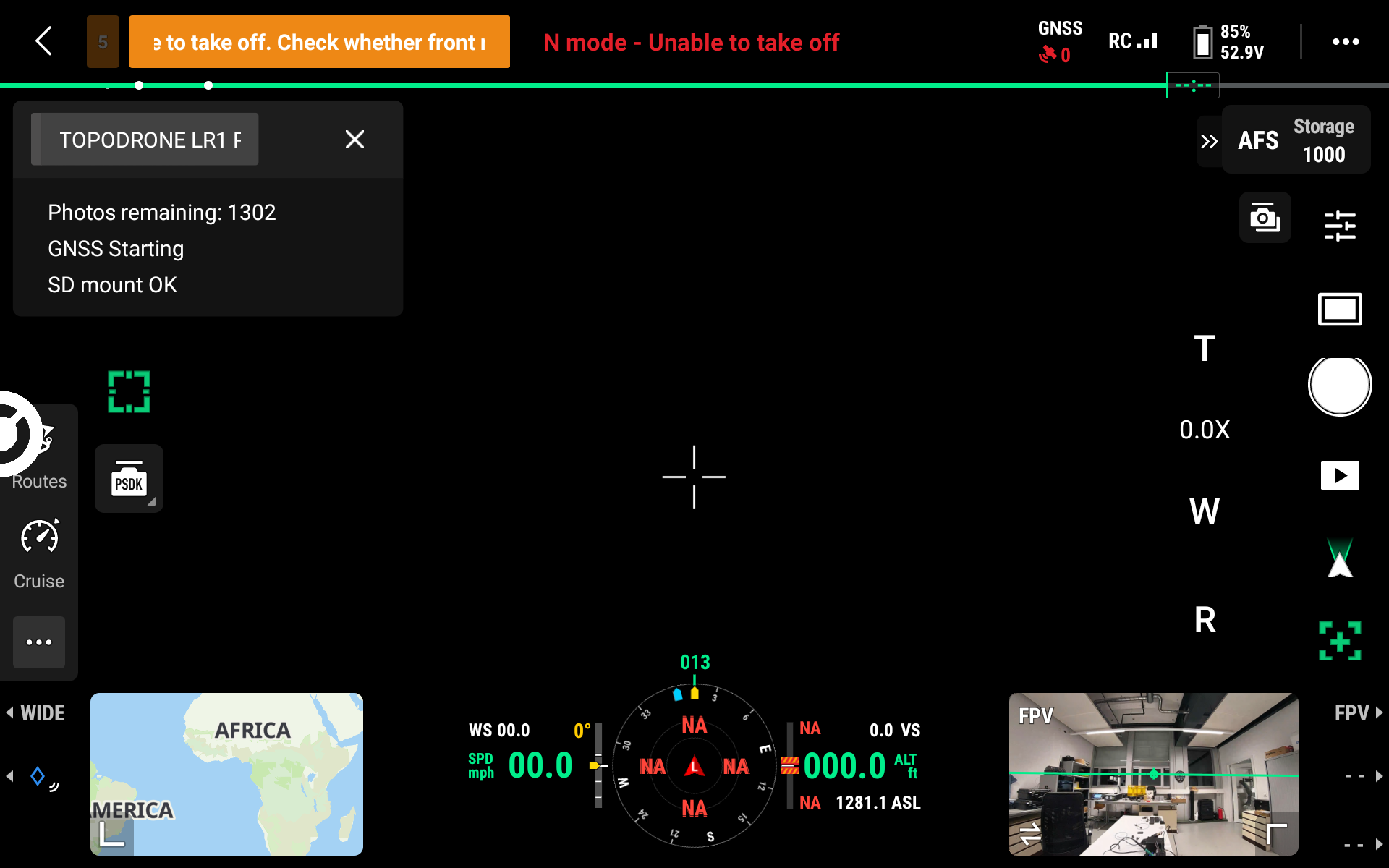
Camera view in DJI Pilot 2.
8.2 Camera Menu
The camera settings button (slider icon on the right) opens a menu with tabs:
- Photo (camera icon) - the Image Format parameter (file format);
- ••• - the Grid (framing grid) and Format Memory Card items.
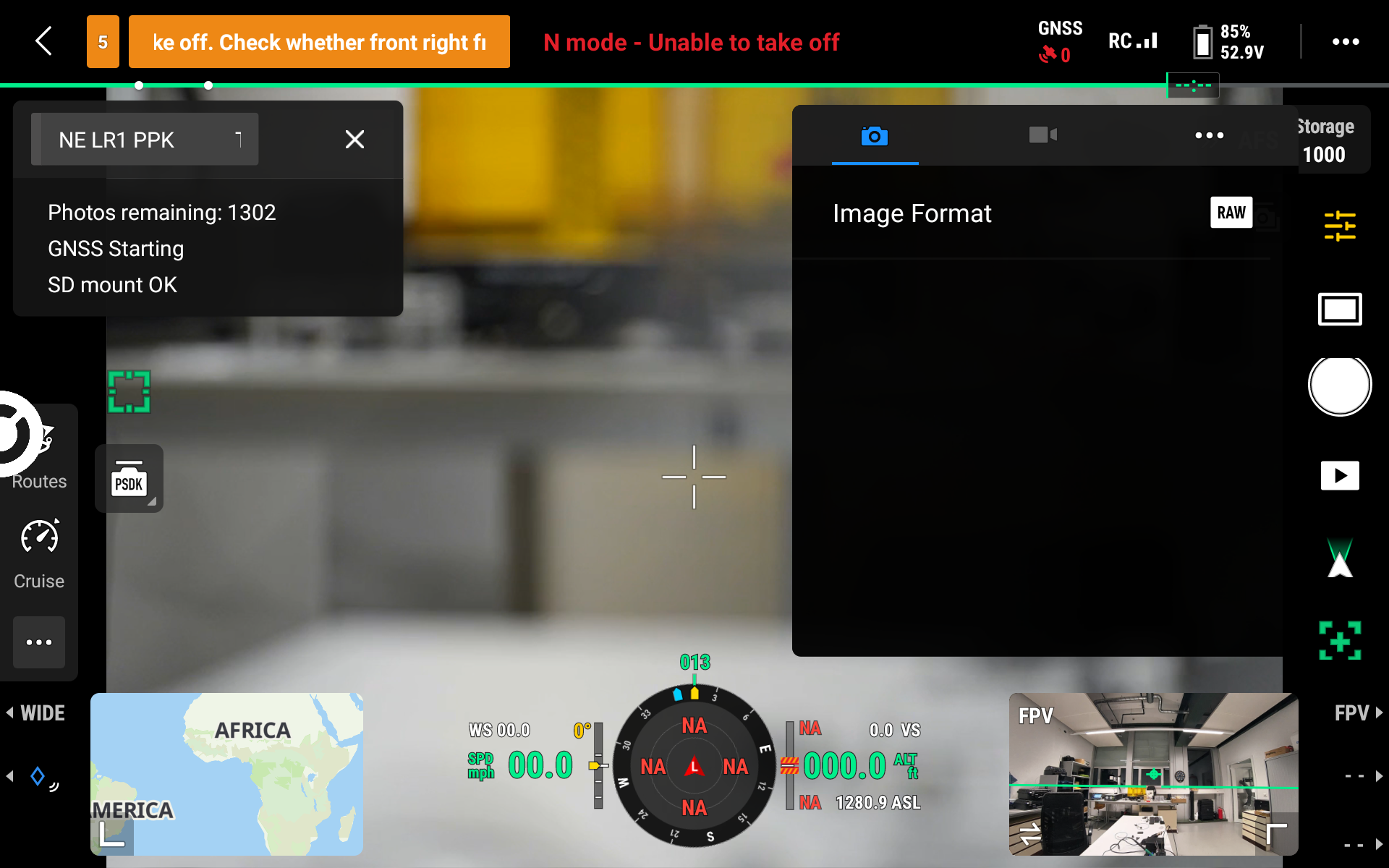
Camera menu: "Photo" tab, Image Format parameter.
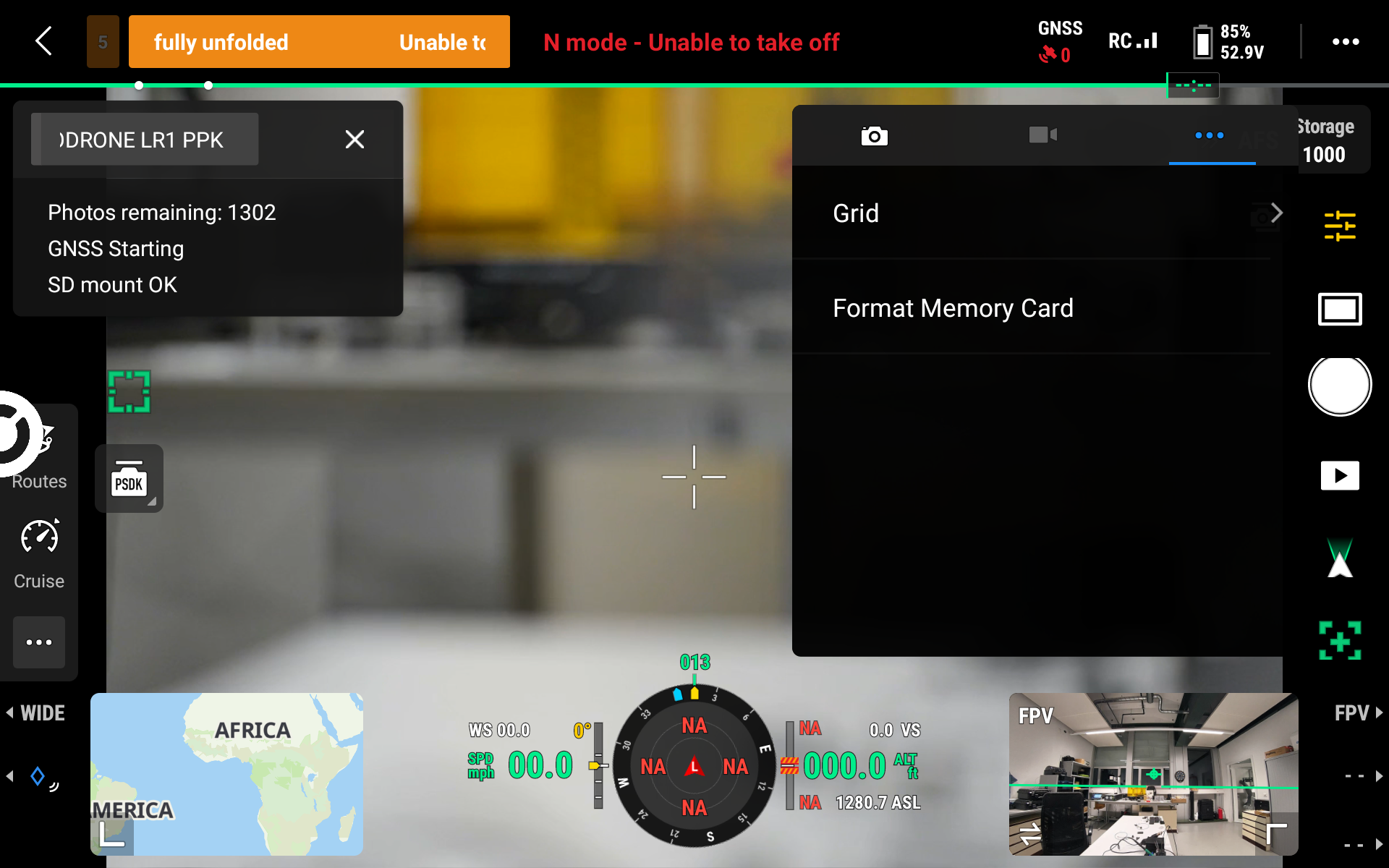
Camera menu: "•••" tab - Grid and Format Memory Card.
8.3 Payload Settings Panel
The main shooting parameters are set in the Payload Settings panel. To open it, tap ••• in the upper right corner of the screen and select the PSDK icon in the right column. The panel contains the TOPODRONE LR1 Control Module - Payload 1 tab (with two cameras - also Payload 2).
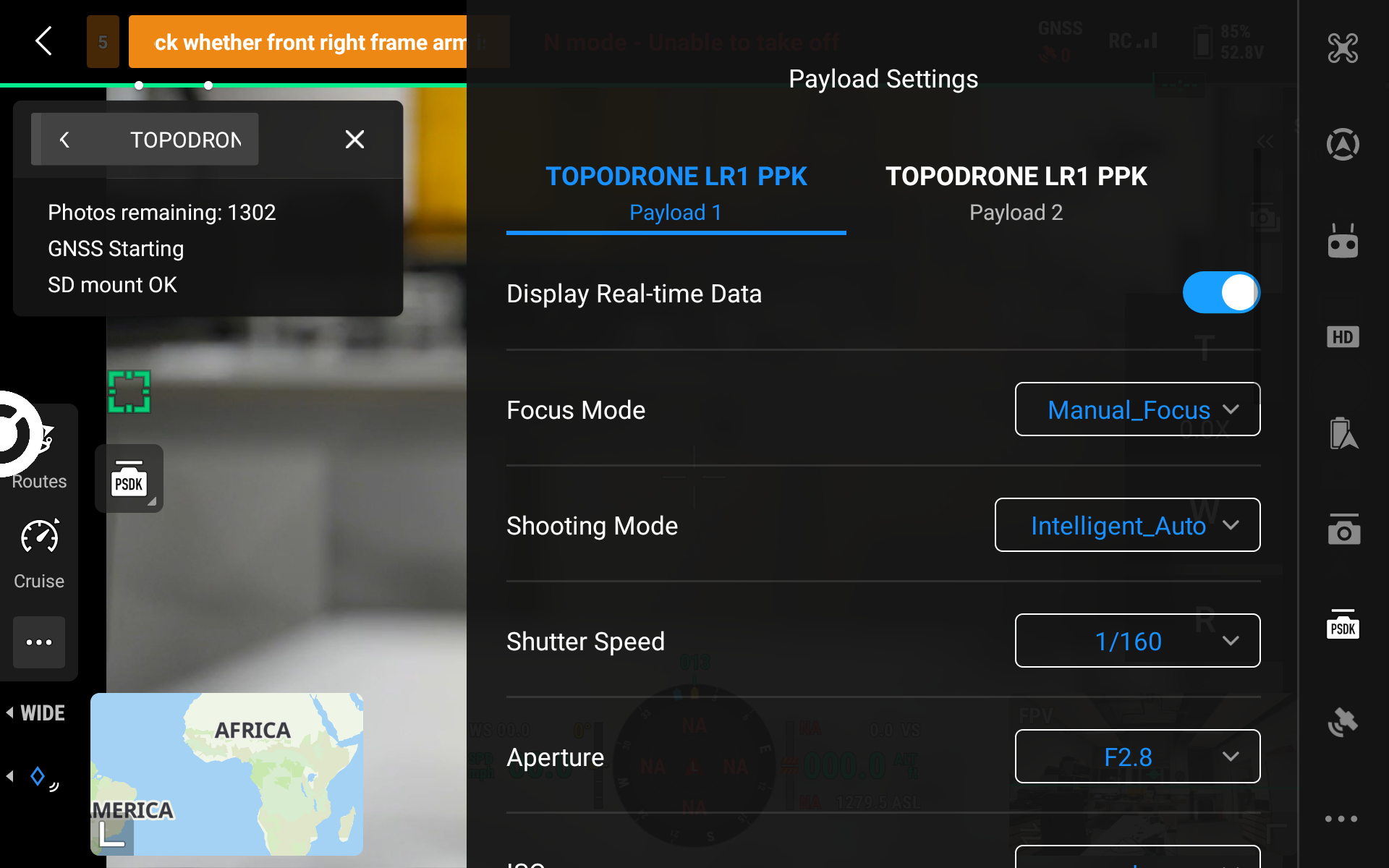
Payload Settings: Focus Mode, Shooting Mode, Shutter Speed, Aperture.
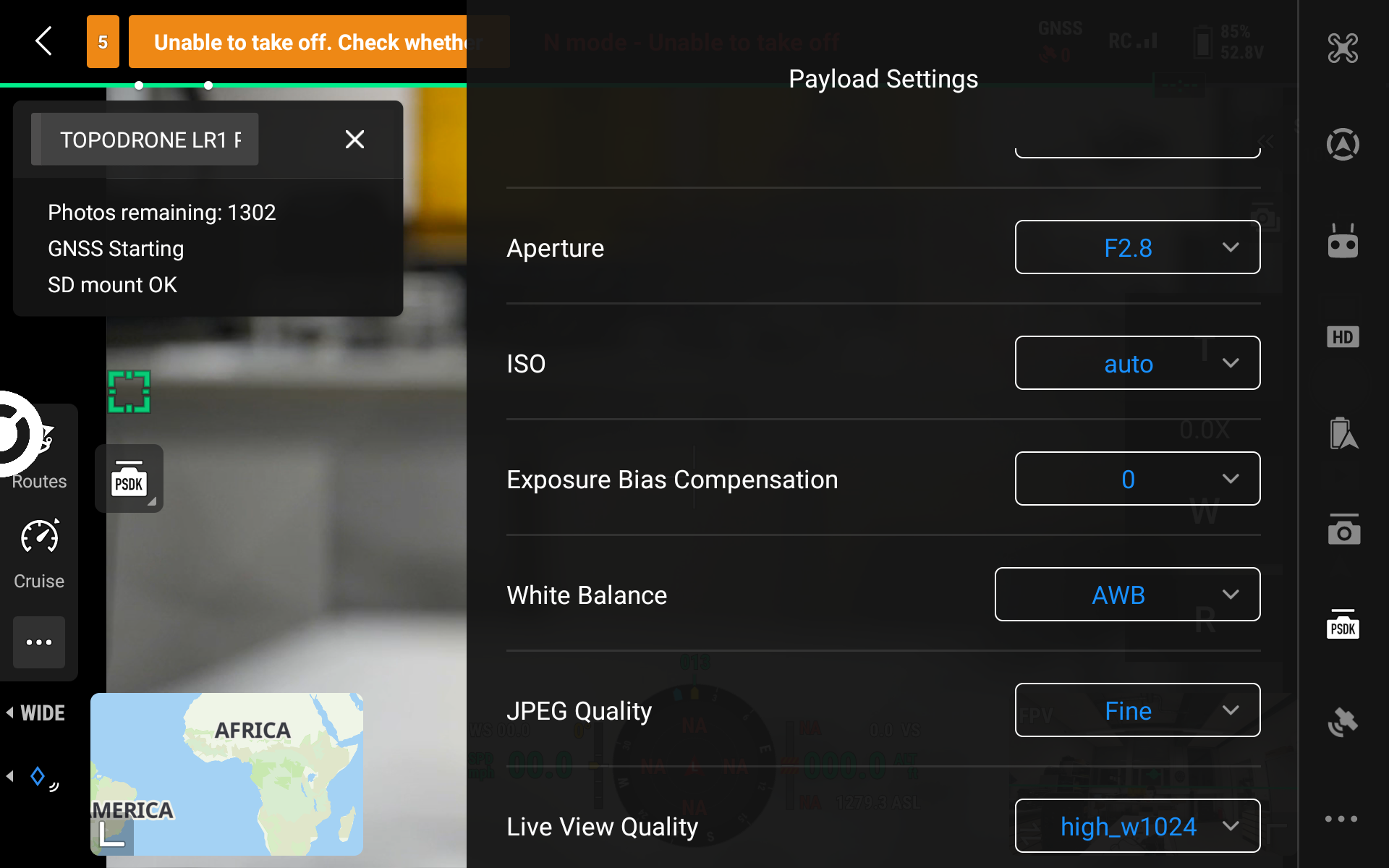
Payload Settings: ISO, Exposure Bias Compensation, White Balance, JPEG Quality, Live View Quality.
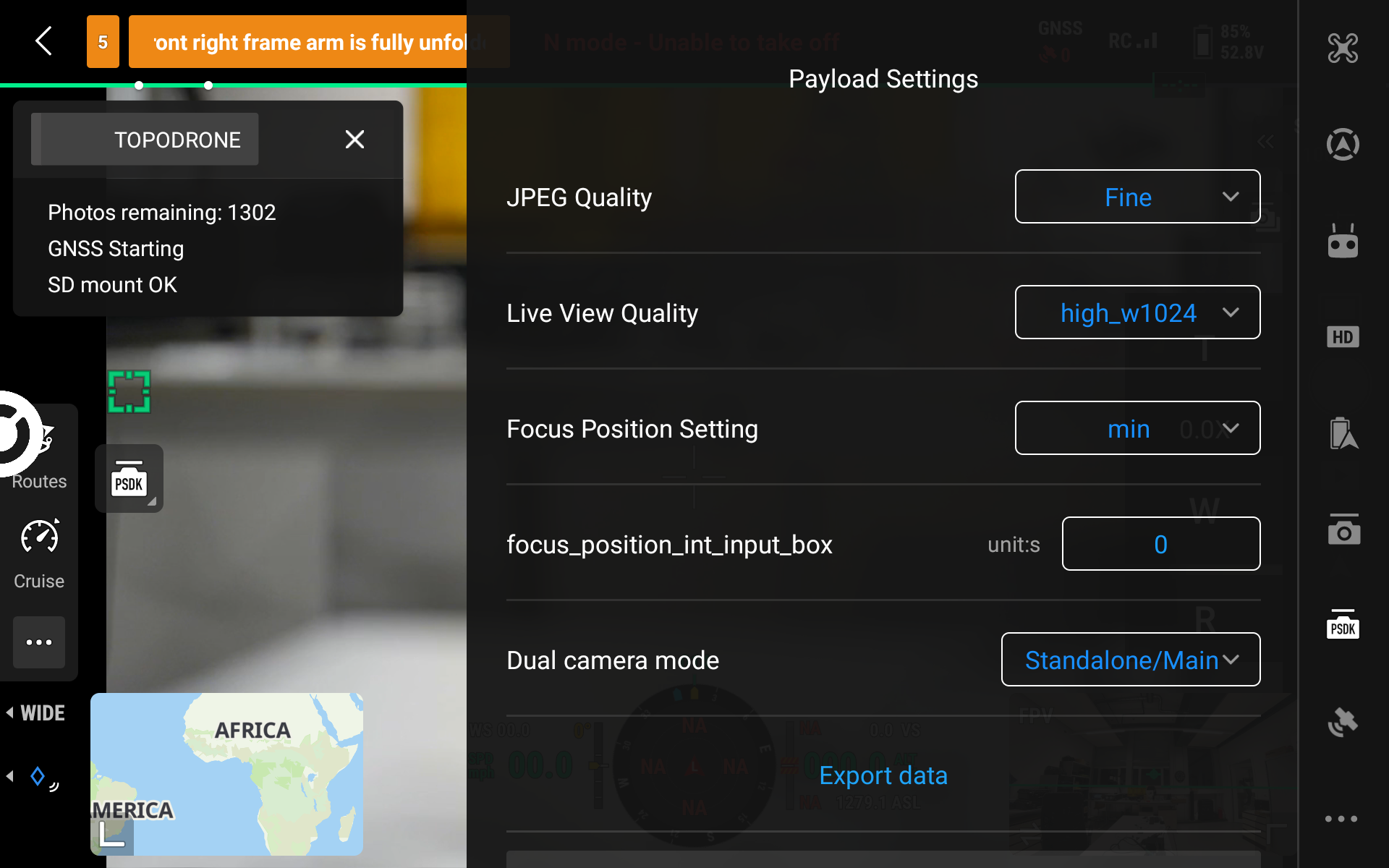
Payload Settings: Focus Position Setting, Dual camera mode, Export data.
| Field | Purpose and values |
|---|---|
| Display Real-time Data | show the status window over the camera view (on/off) |
| Focus Mode | focus mode: Single-shot_AF, Automatic_AF, Continuous_AF, DMF, Manual_Focus |
| Shooting Mode | shooting mode: Intelligent_Auto, Program_Auto, Aperture_Priority, Shuter_Priority (shutter priority, spelled this way in the interface), Manual_Exposure |
| Shutter Speed | shutter speed |
| Aperture | aperture (values depend on the lens) |
| ISO | auto, 50, 64, 80, 100, 125 and further in 1/3-stop steps |
| Exposure Bias Compensation | exposure compensation |
| White Balance | white balance (AWB - automatic) |
| JPEG Quality | JPEG quality (Fine, Extra_fine) |
| Live View Quality | quality of the video stream on the remote controller (for example, high_w1024) |
| Focus Position Setting | focus position for manual focus |
| Dual camera mode | operating mode with two cameras (Standalone/Main) |
| About | versions and serial numbers: PSDK, DJI X-Port |
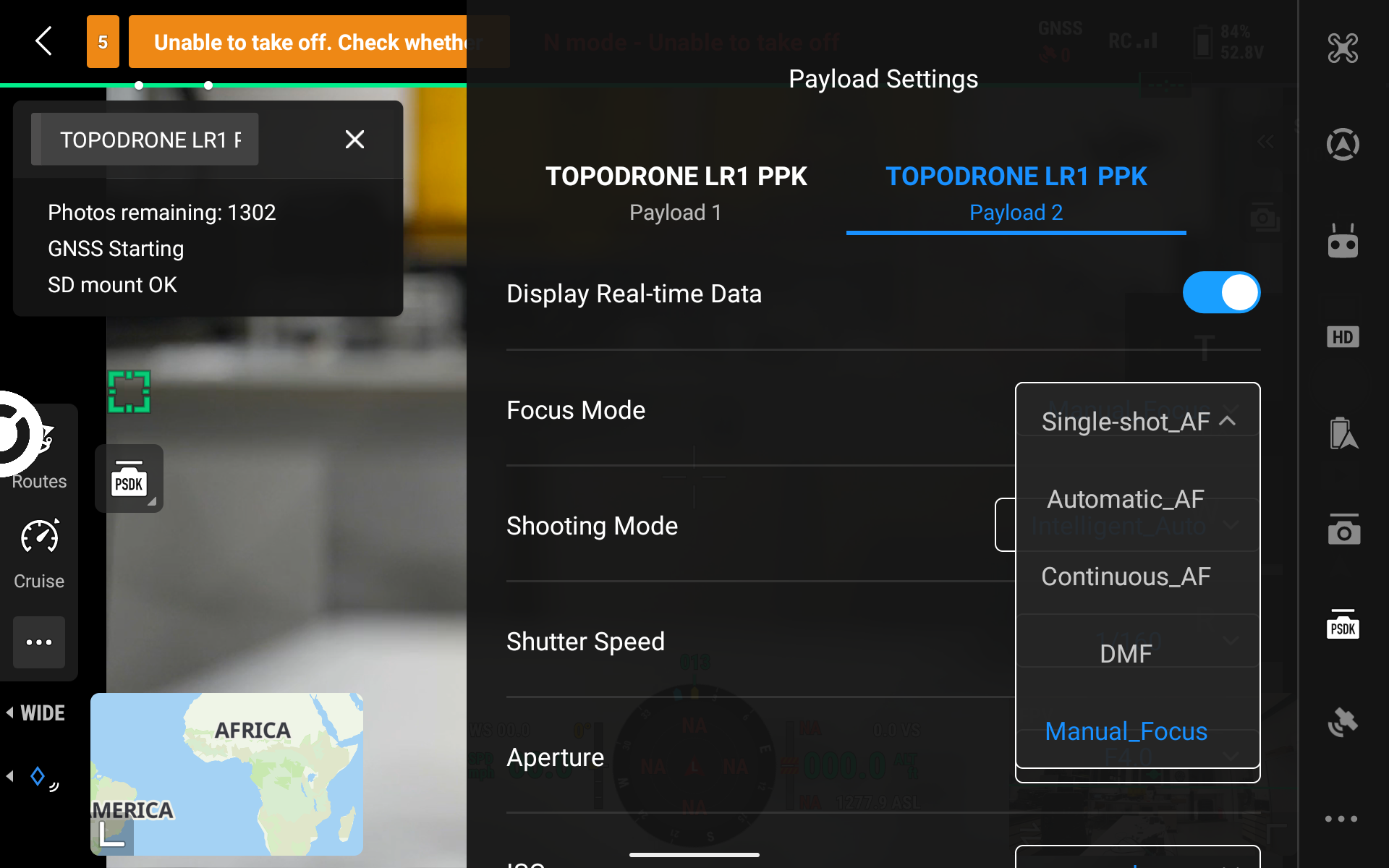
List of Focus Mode values.
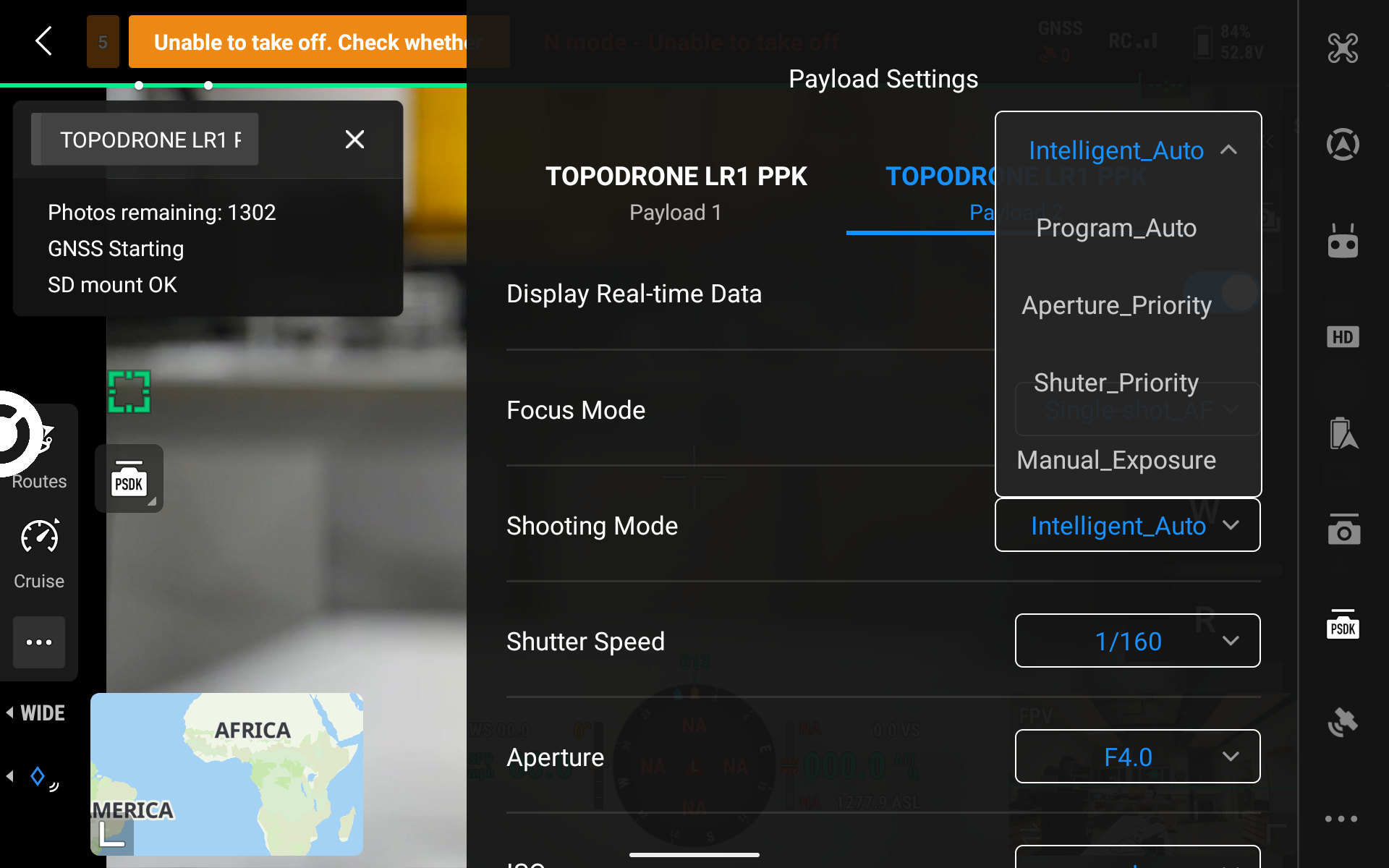
List of Shooting Mode values.
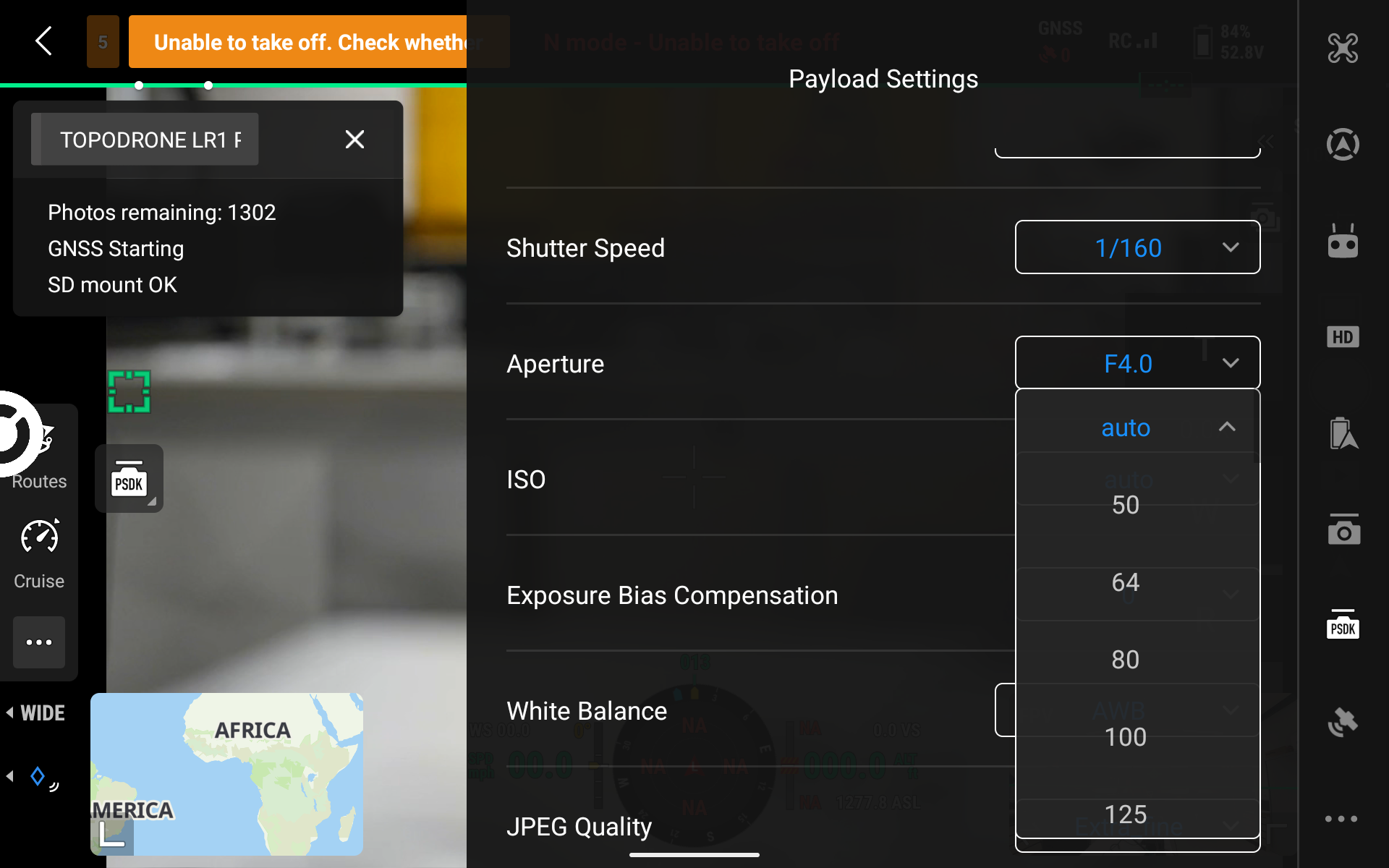
List of ISO values.
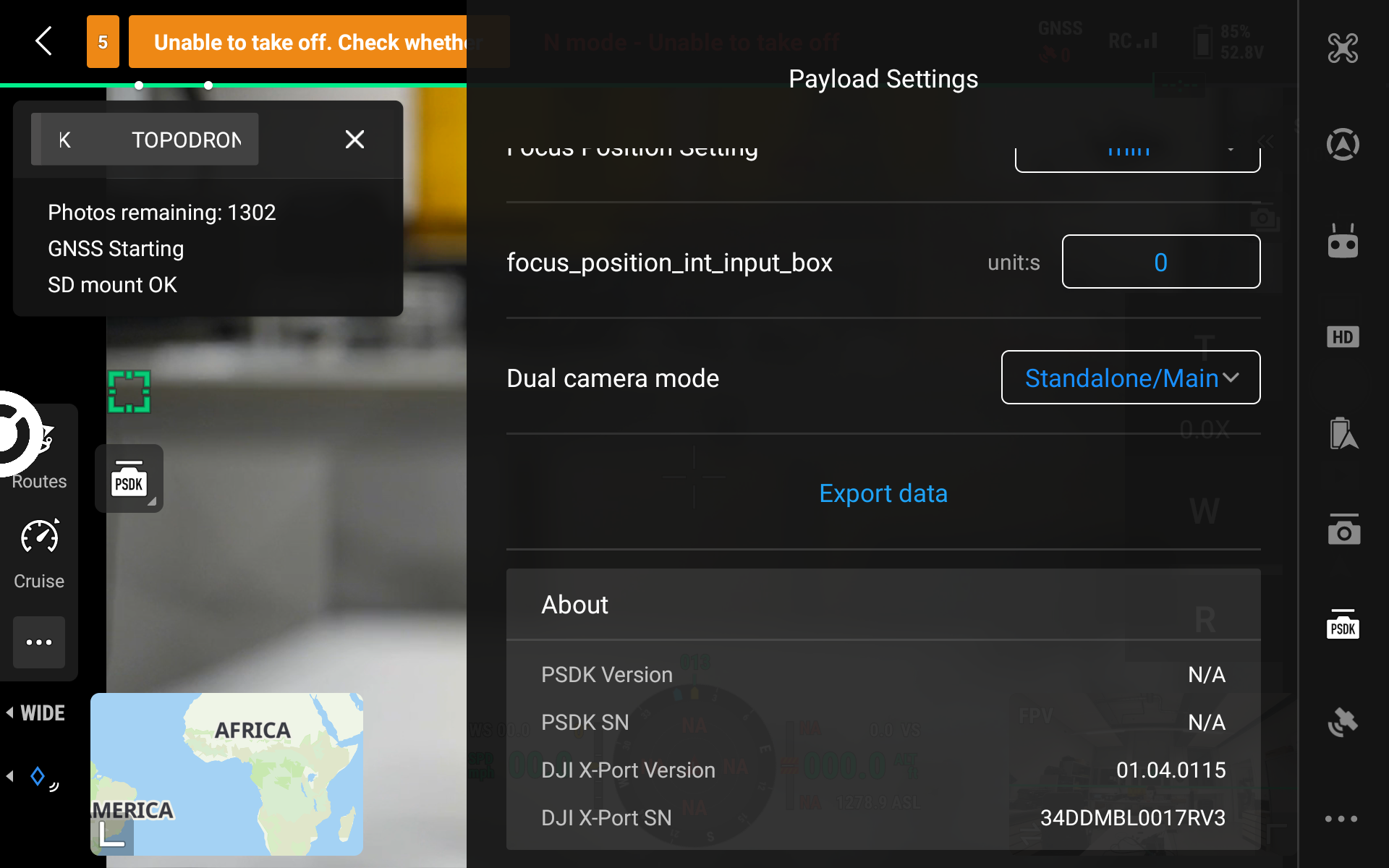
About block: PSDK and DJI X-Port versions.
8.4 Two Cameras (Dual Gimbal)
When two cameras are installed via the DJI Dual Gimbal Connector, two tabs appear in the Payload Settings panel - Payload 1 and Payload 2. Set the parameters of each camera separately on its own tab.
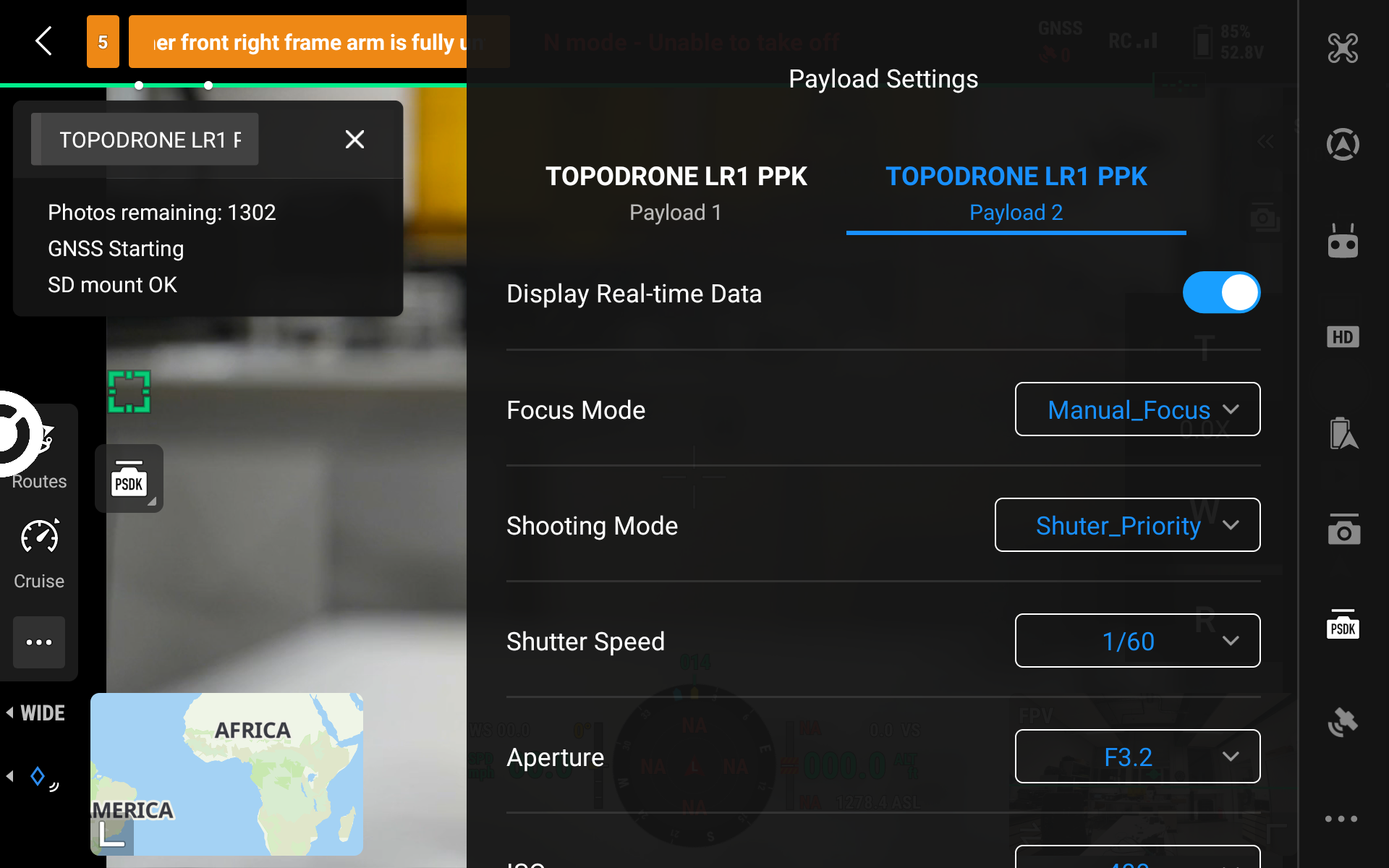
Payload Settings: Payload 2 tab.