There are two ways to collect control points. One is to use the TOPODRONE SLAM 100 control point collection module directly; in this case the control point position information is obtained during data collection. The other is to pick control points manually from the output data in post-processing. The two methods compare as follows.
| Control point module on TOPODRONE SLAM 100 | Picking in post-processing | |
| Processing mode | Rigid transformation / SLAM algorithm | Rigid transformation |
| Placement | On the ground | Unrestricted |
| Functions | Coordinate transformation, accuracy constraints, data stitching | Coordinate transformation, data stitching |
| Algorithm support | SLAM 100 software | Third-party software |
| Collection method | Automatic | Manual |
1. Setting control points
Using control points, the operator can obtain absolute coordinates, constrain SLAM matching and stitch data. The setup methods and requirements differ slightly for different applications.
1.1. Obtaining absolute coordinates
To obtain absolute coordinates of the survey area, the control points must be distributed evenly, and there must be at least 3 of them. In theory, the more control points, the more accurate the result.
1.2. Constraining SLAM matching
For SLAM matching control, control points are mainly used to correct the motion data during SLAM matching, and the absolute position is added to eliminate errors and control the position. There must be at least 3 control points, distributed in areas prone to drift, such as junctions where the scene changes, and areas with uniform geometry (long straight corridors, tunnels, etc.). When used for SLAM matching control, it is recommended to place control points every 100 m in areas with varied geometry, and even more points in areas with uniform geometry.
1.3. Data stitching
When the survey area is divided, common control points can be used to stitch the data. It is recommended to place control points in the middle block so that the entire survey area can be connected through the middle area; for a strip-shaped survey area, control points are placed in the overlap areas at both ends. Each overlap area requires 3-4 control points, as shown in Fig. 7.1.1.
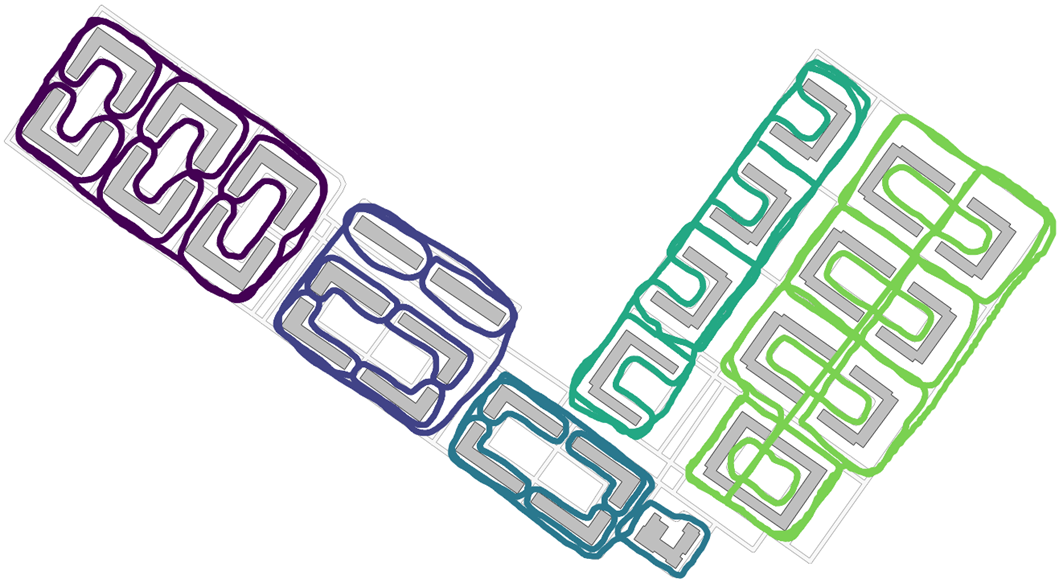
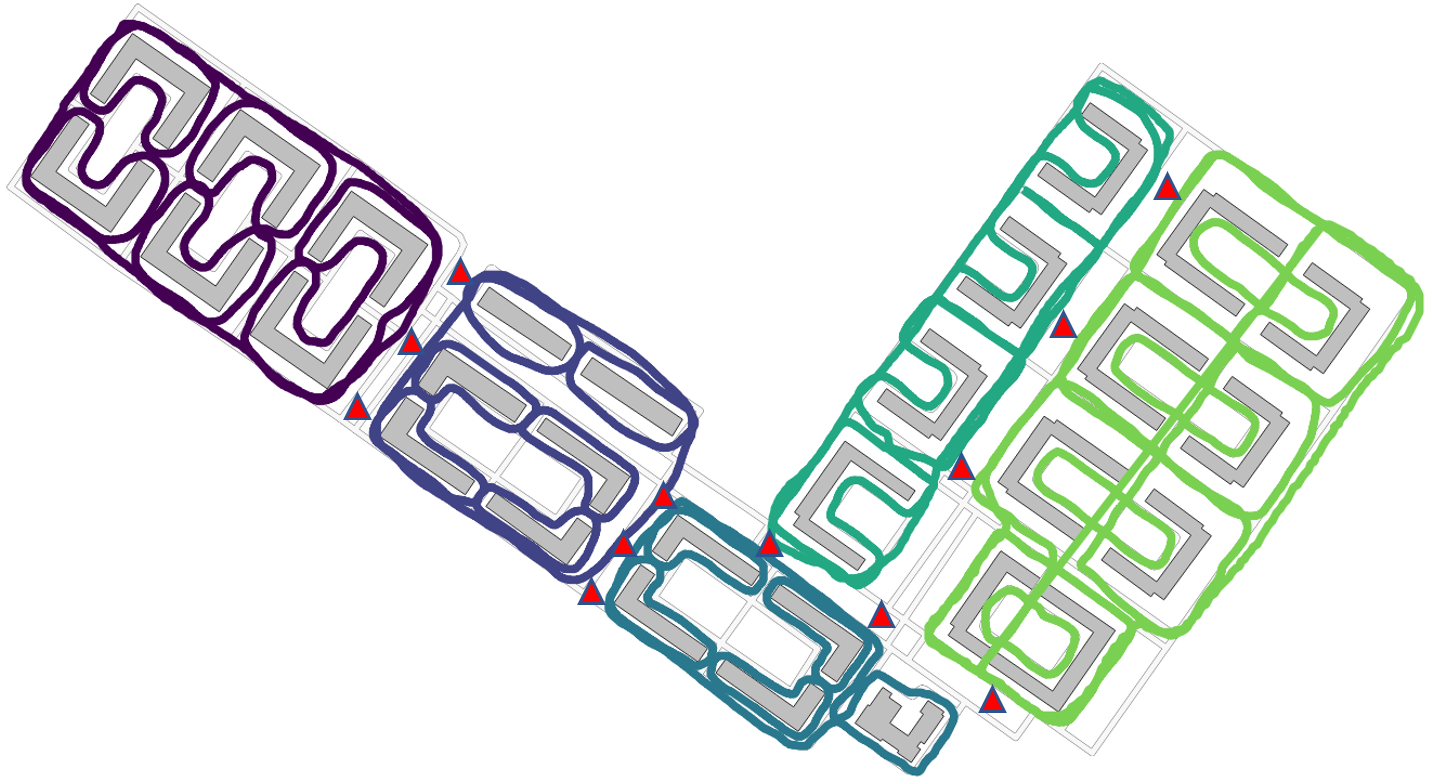
Fig. 7.1.1. Placing control points for data stitching.
2.1. Collecting control points
To collect a control point, place the crosshair at the bottom of the TOPODRONE SLAM 100 base at the center of the control point (the sensor direction does not matter), make sure the collection time exceeds 10 seconds, then move to the next control point.